
Talkbox
This integration is in beta
As with all beta tests, not everything will be perfect. If you run into any issues, please submit a support ticket.
Talkbox, by Impact Data, is an email and SMS marketing platform. Through its integration with Lexer, you can activate enriched customer segments directly into Talkbox, ensuring your campaigns are powered by a complete, data-driven view of your customer.
Benefits
Integrating your Talkbox account with Lexer provides a range of benefits across Email such as:
- Create enriched segments within Lexer and send them to Talkbox for activations.
- Increase personalization in Email using enriched CDP profiles.
- Identify high conversion Email customers to send them unique offers.
- Manage opted-out customers to remove them from Email campaigns.
- Build and refine customer segments in Lexer using your full customer data, then push them to Talkbox for activation.
- Enrich your Talkbox contact lists with CDP-powered profile data, going beyond basic contact details.
- Run ongoing activations to keep your Talkbox lists automatically in sync with your Lexer segments on a daily basis.
- Activate across both email and SMS from a single segment in Lexer.
Here's a summary of how Talkbox integrates with Lexer:
Direction
What direction does the data flow?
Type
Lexer loads these types of data
✅ SMS
Source method
How Lexer loads data from this source.
⬜️ Data in: N/A — Lexer does not take data in from Talkbox.
✅ Data out: Enriched customer segments ready for Email/SMS marketing activation.
Destination method
How Lexer sends data to this source.
✅ API
Status
What is the status of the integration?
Beta
Lexer product compatibility
What Lexer products is the integration compatible with?
✅ Activate
⬜️ Compare
⬜️ Listen
⬜️ Respond
⬜️ Segment
⬜️ Serve
⬜️ Track
Attributes
No attributes will be created as part of this integration.
Attributes
This integration allows for some flexibility, the output of the integration depends on your available data and what you send through to Lexer. In addition, your attributes could be named in a different way to other clients. If you would like a list of attributes related to this integration, please email your Success Manager.
Attributes
What attributes are created when integrated with Lexer?
Attributes
These are the standard attributes that Lexer can create from the data received via this integration. The exact attributes will depend on what data is made available and sent into Lexer. Keep in mind, your attribute names may vary slightly. If you have any questions or would like to explore custom options, please contact your Success Manager.
Customer attributes
Email engagement attributes
SMS event attributes
Transactional attributes
Product attributes
Connecting Talkbox with Lexer
To set up your Talkbox integration, you will need your Talkbox API credentials. Your Talkbox account manager or the Talkbox support team can provide these.
Start by navigating to Manage › Integrations in the Lexer Hub:
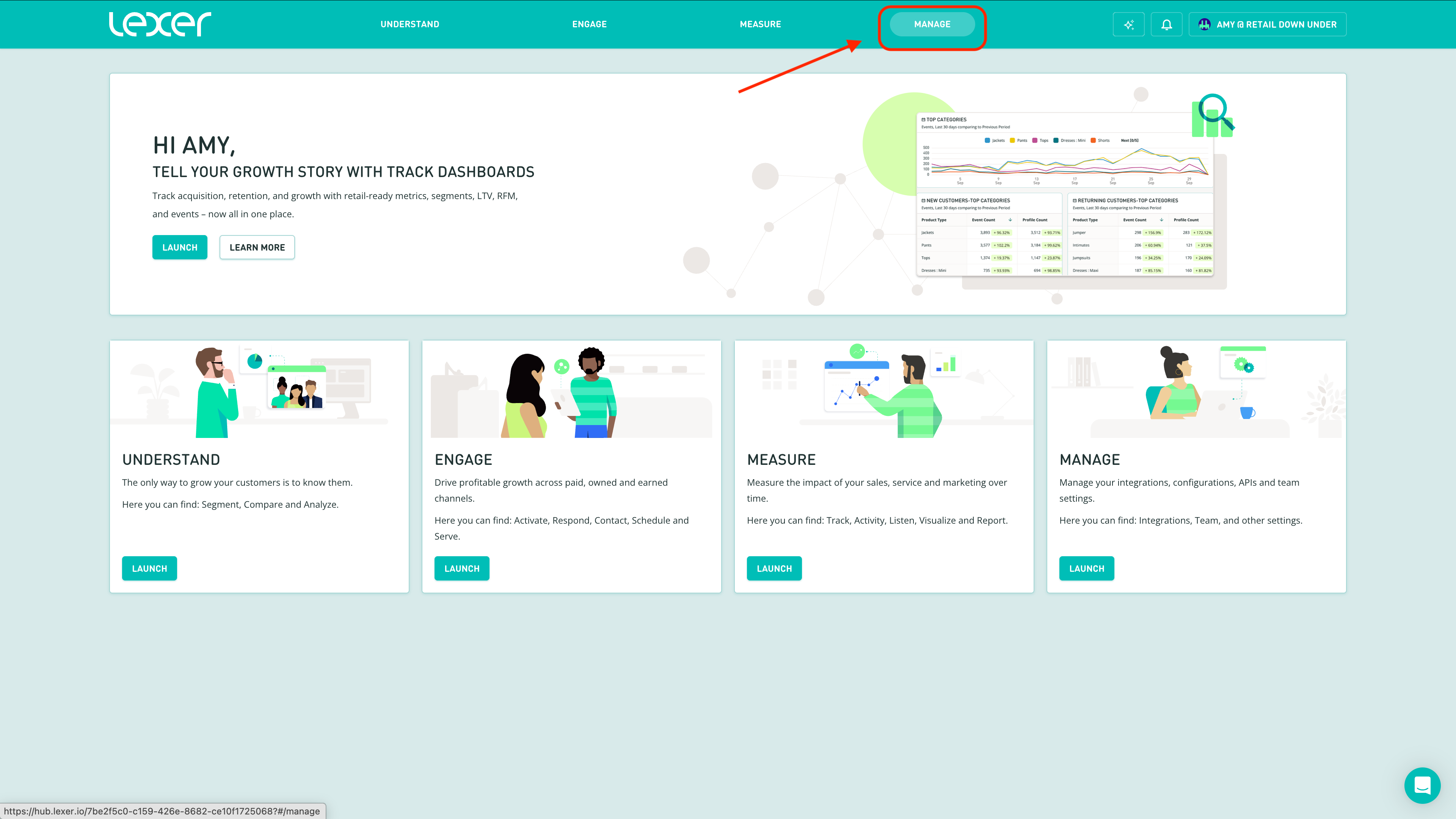
1. Find and click the Talkbox tile.
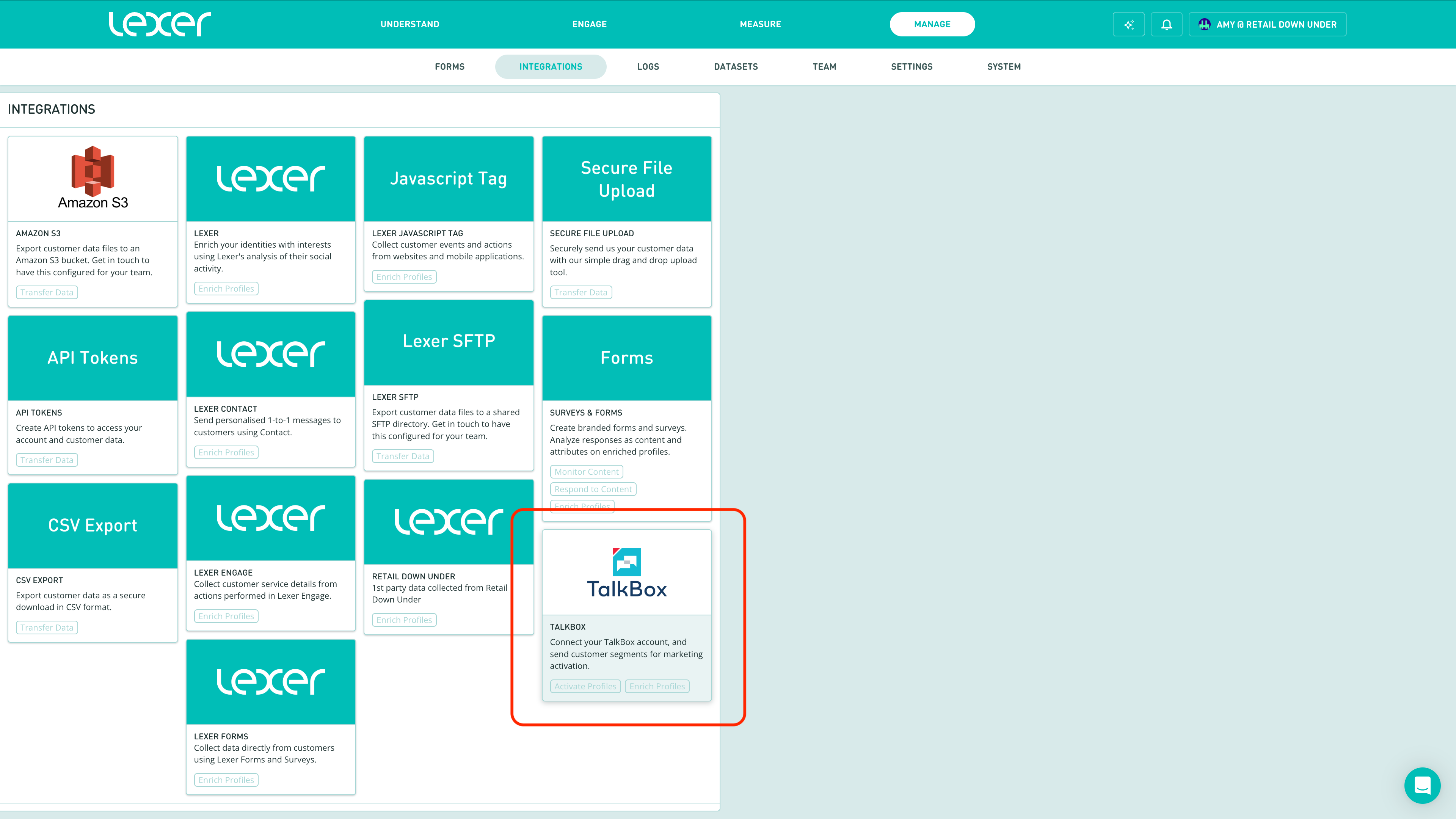
2. Click Integrate Talkbox.
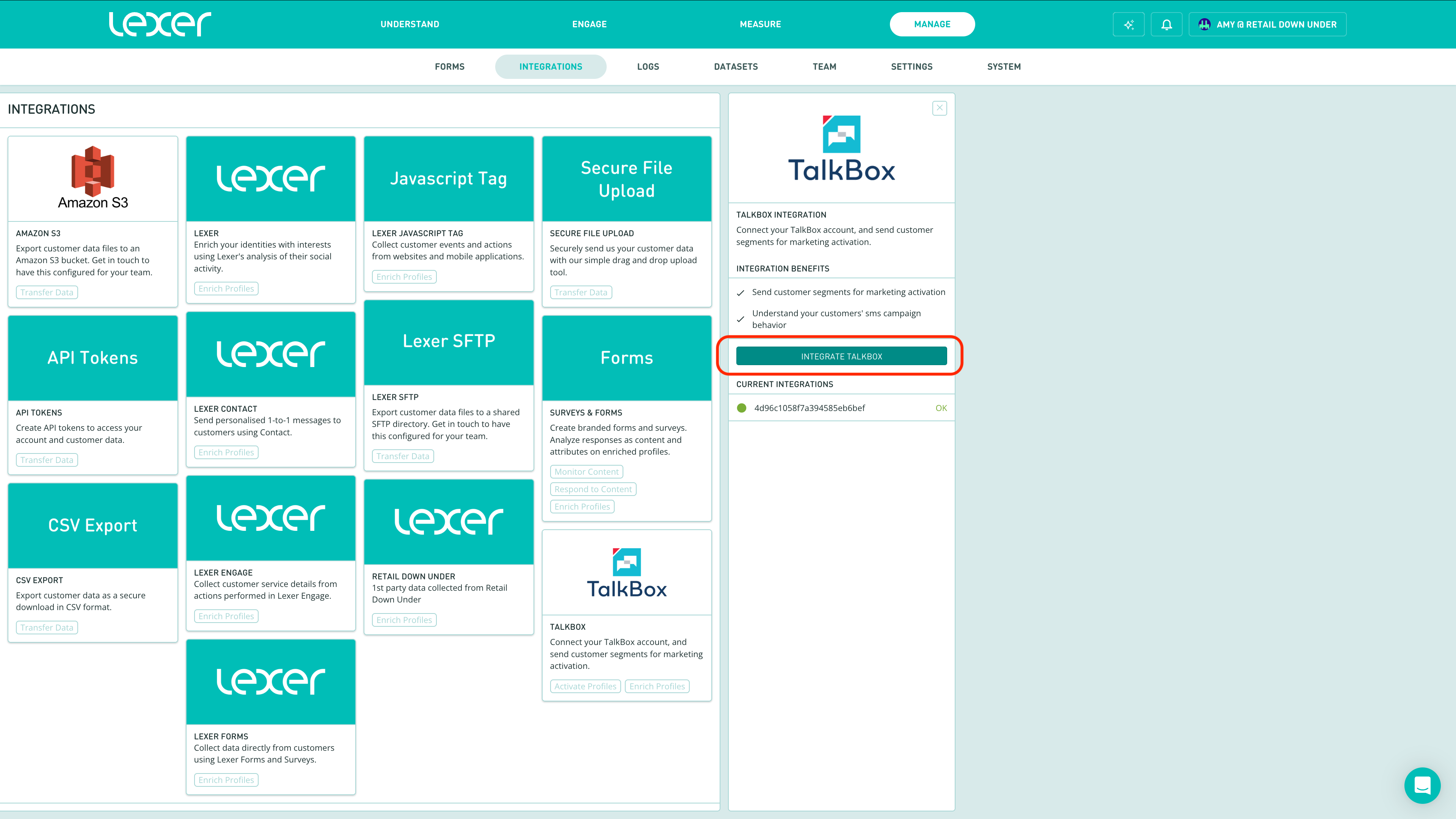
3. Enter your username and password.
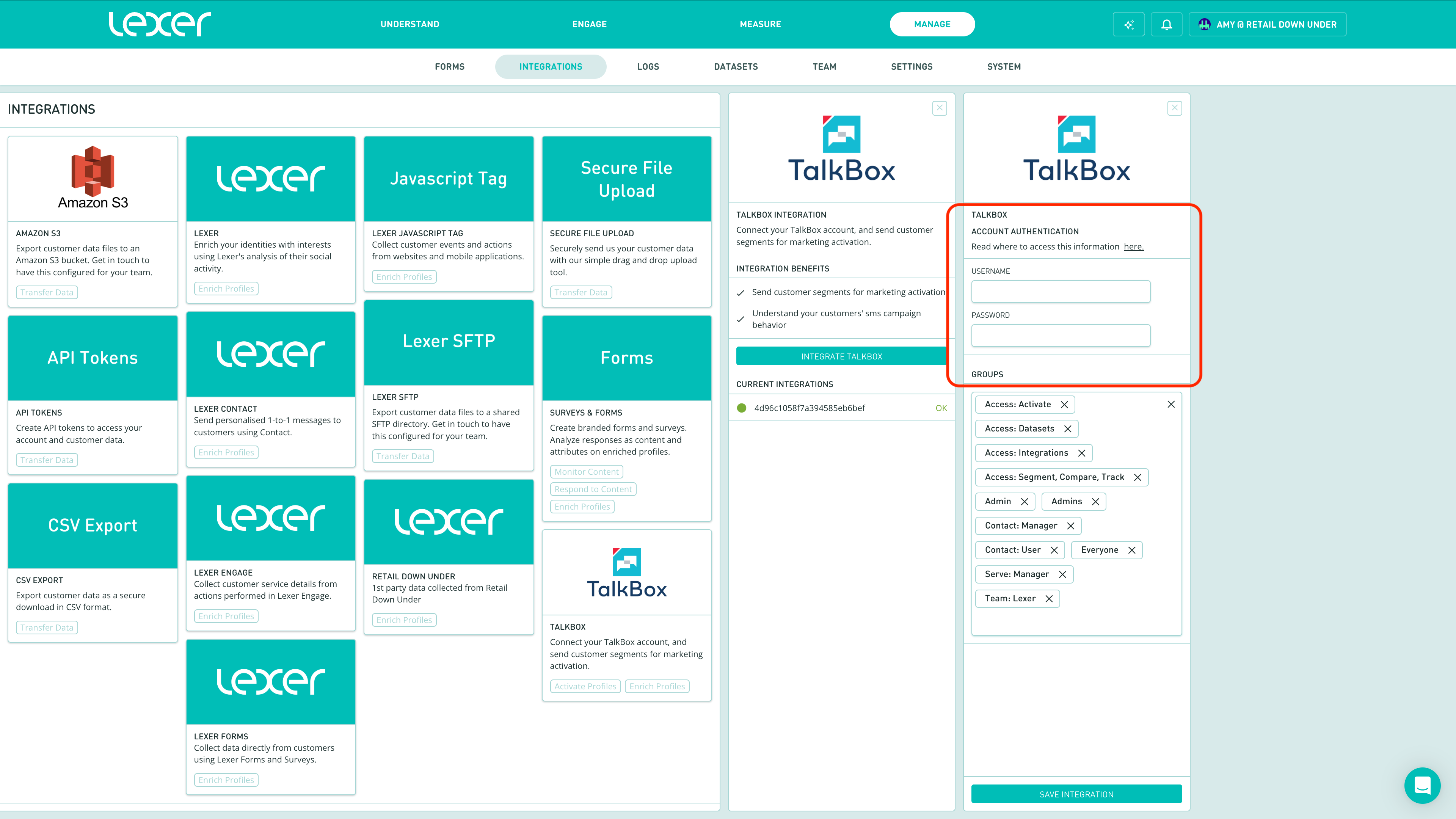
5. Click Save Integration.
The final steps!
Under Groups, add Access: Integrations (you will need Admin permissions to do this).
Once you have saved your Talkbox credentials in the Hub, please contact your Success Manager or Lexer Support at support@lexer.io to complete configuration. We'll confirm once the integration is ready for activations.
Setting up a Talkbox activation
Before running an activation, make sure the steps above are complete and your Talkbox account is confirmed as connected by your Success Manager.
Once your Talkbox account is integrated with Lexer, you can push enriched customer segments directly into Talkbox for personalised SMS campaigns.
To run an activation, navigate to Engage › Activate:
[Screenshot: Activate screen showing Talkbox as a destination option]
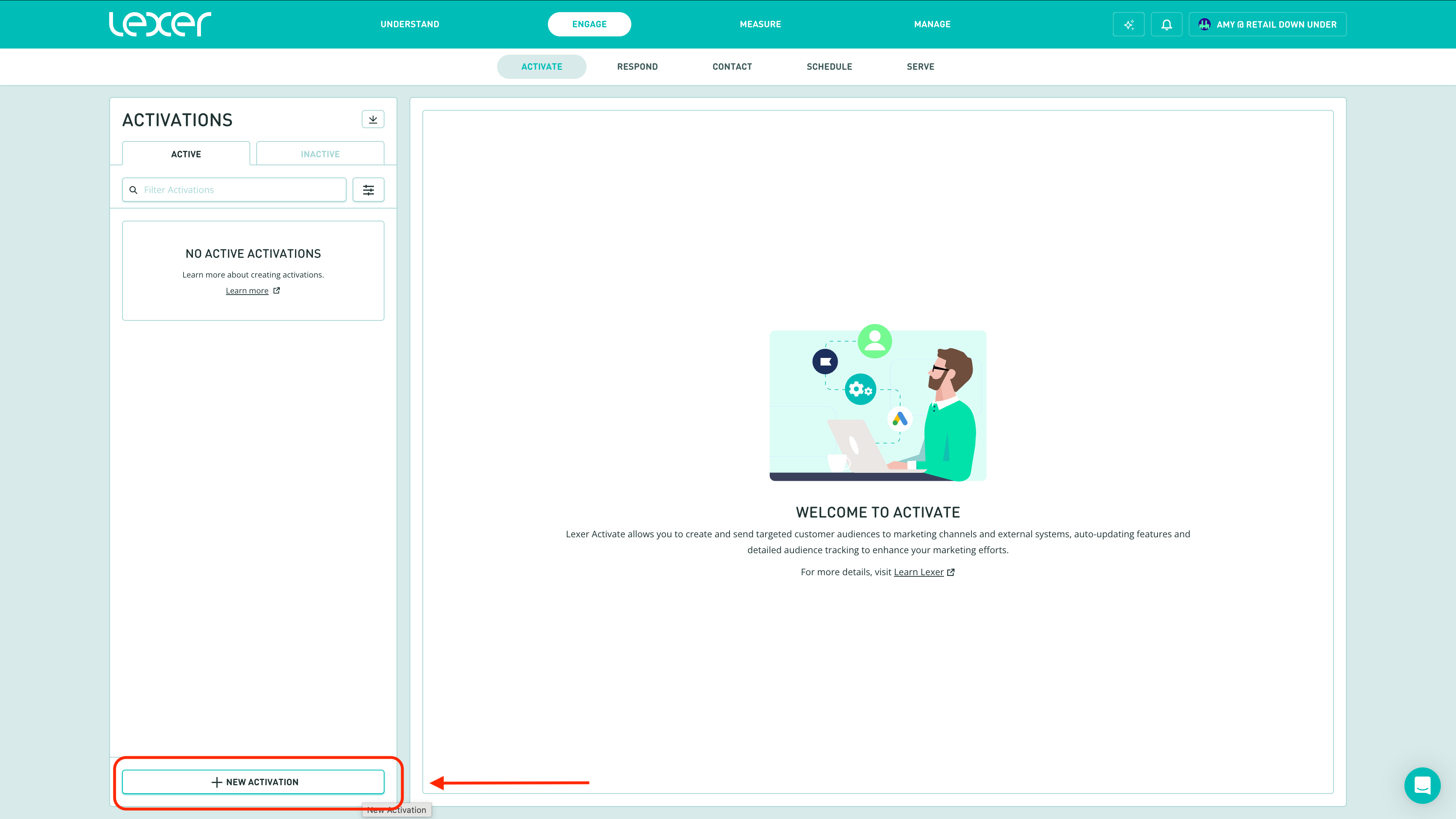
1. Click New Activation at the bottom.
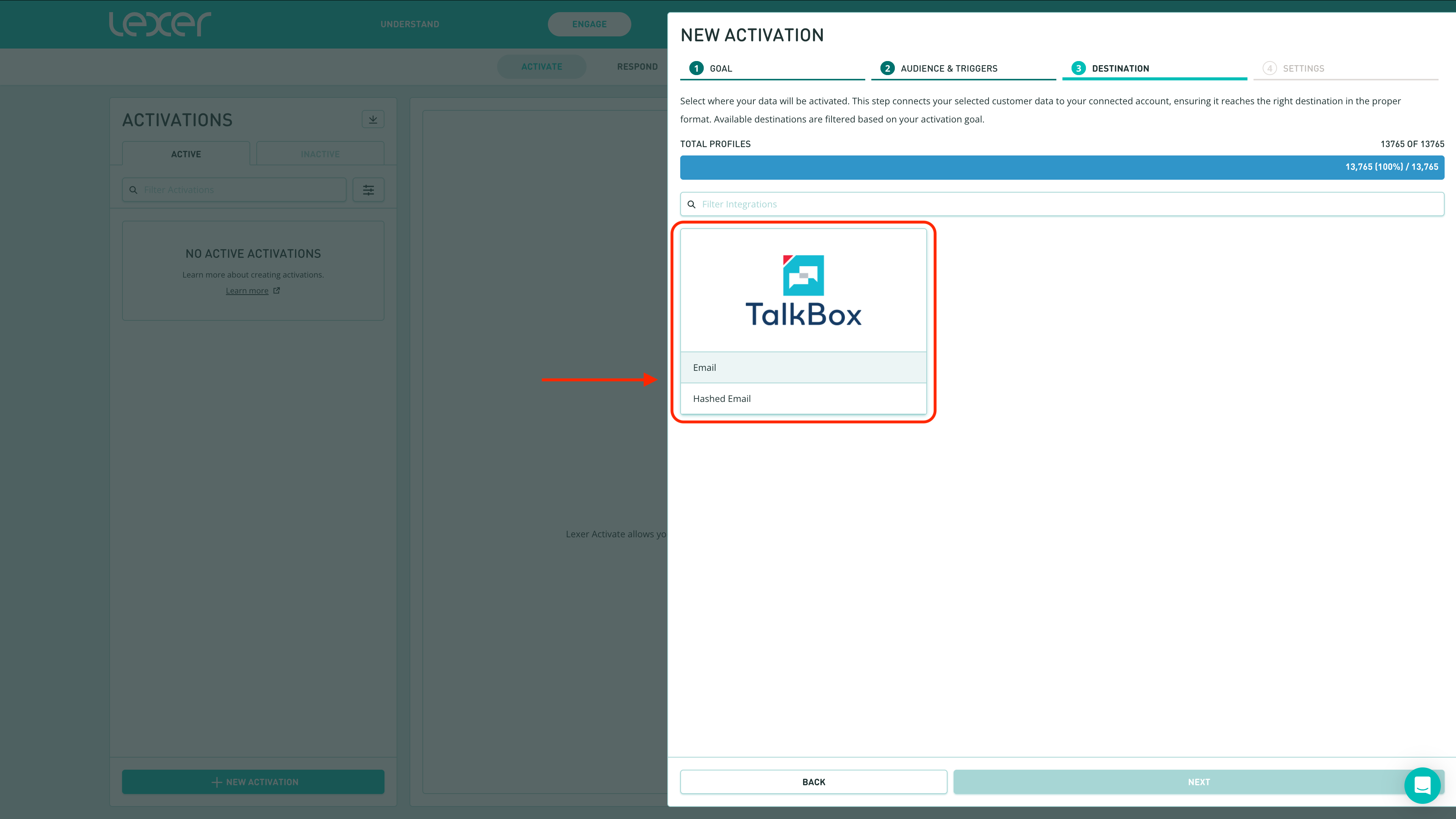
2. Find Talkbox and select the integration tile.
3. Select the configuration. (Partner with your CS manager to set up your activation configuration)
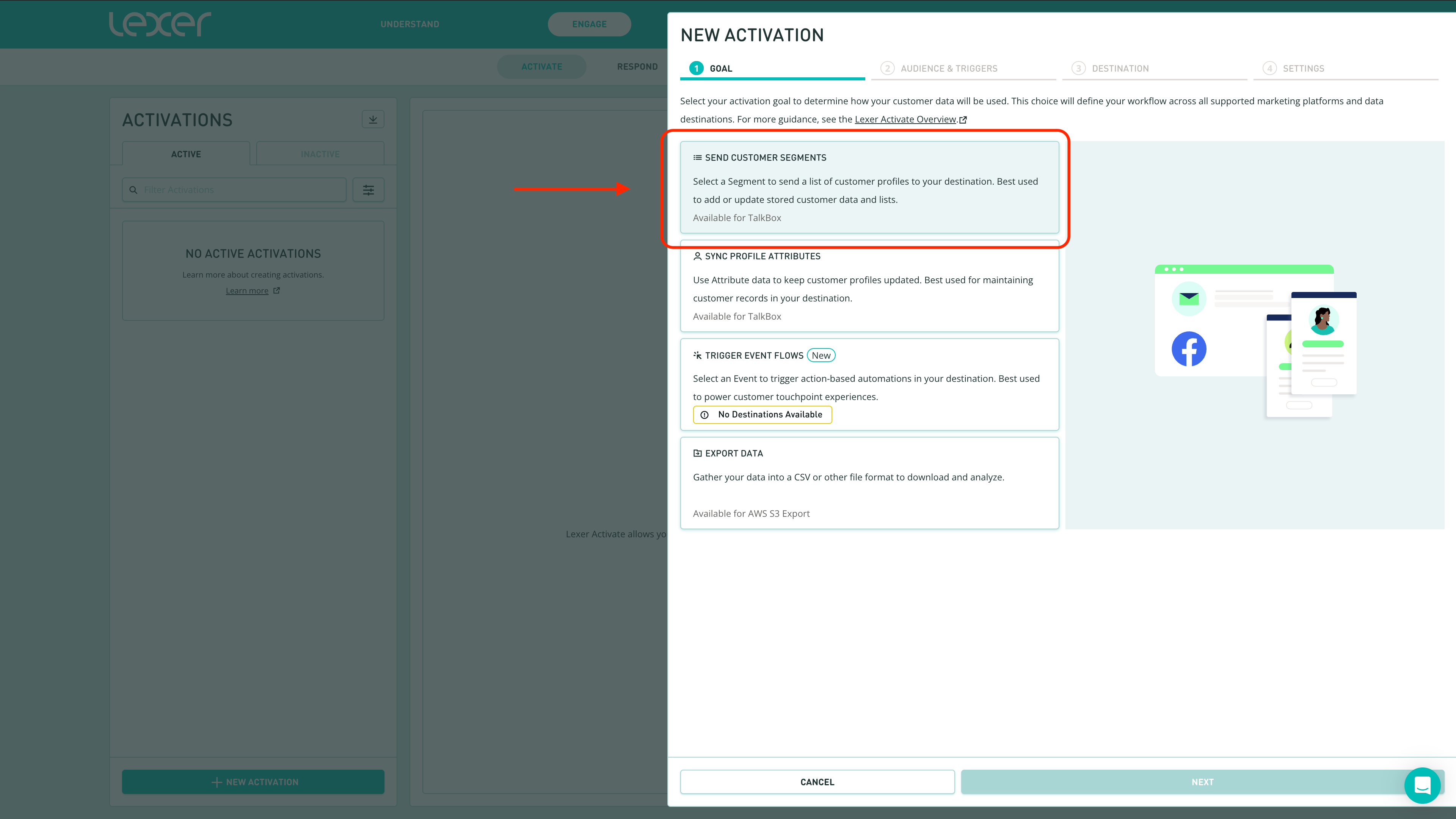
4. From the list of Activation types, select Send Custom Segments
4. Fill in the New Activation window:
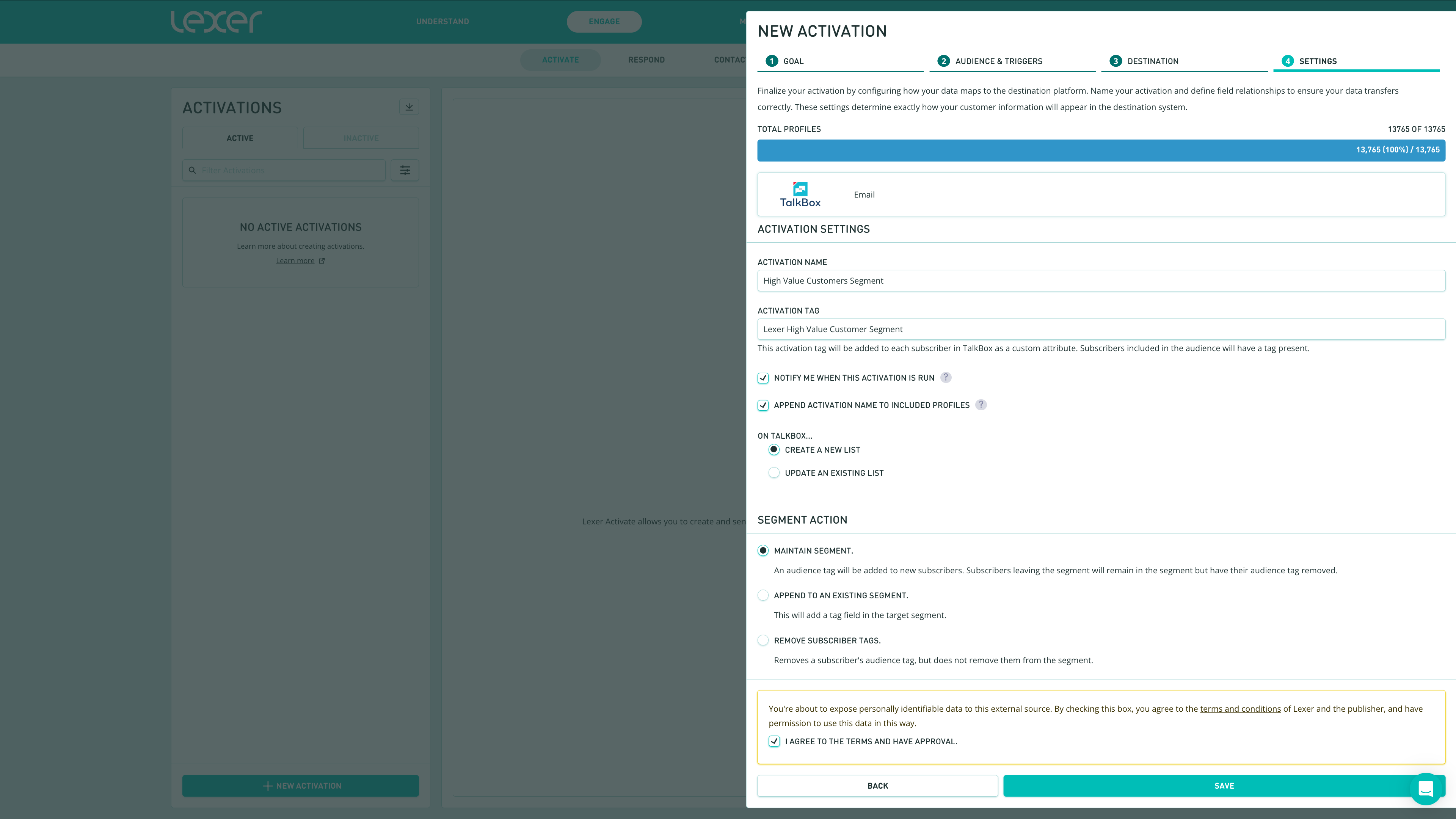
Activation Name — give your activation a descriptive name.
Tag Name — this will become the name of the contact list in Talkbox.
Notify me — check this to receive an email when the activation runs.Field Mapping — confirm that the Lexer attributes (e.g. Mobile, Email, First Name) are correctly mapped to the corresponding Talkbox fields.
5. Once off or Reoccuring Activation — check this box to keep the Talkbox list in sync with your Lexer segment on a daily basis.
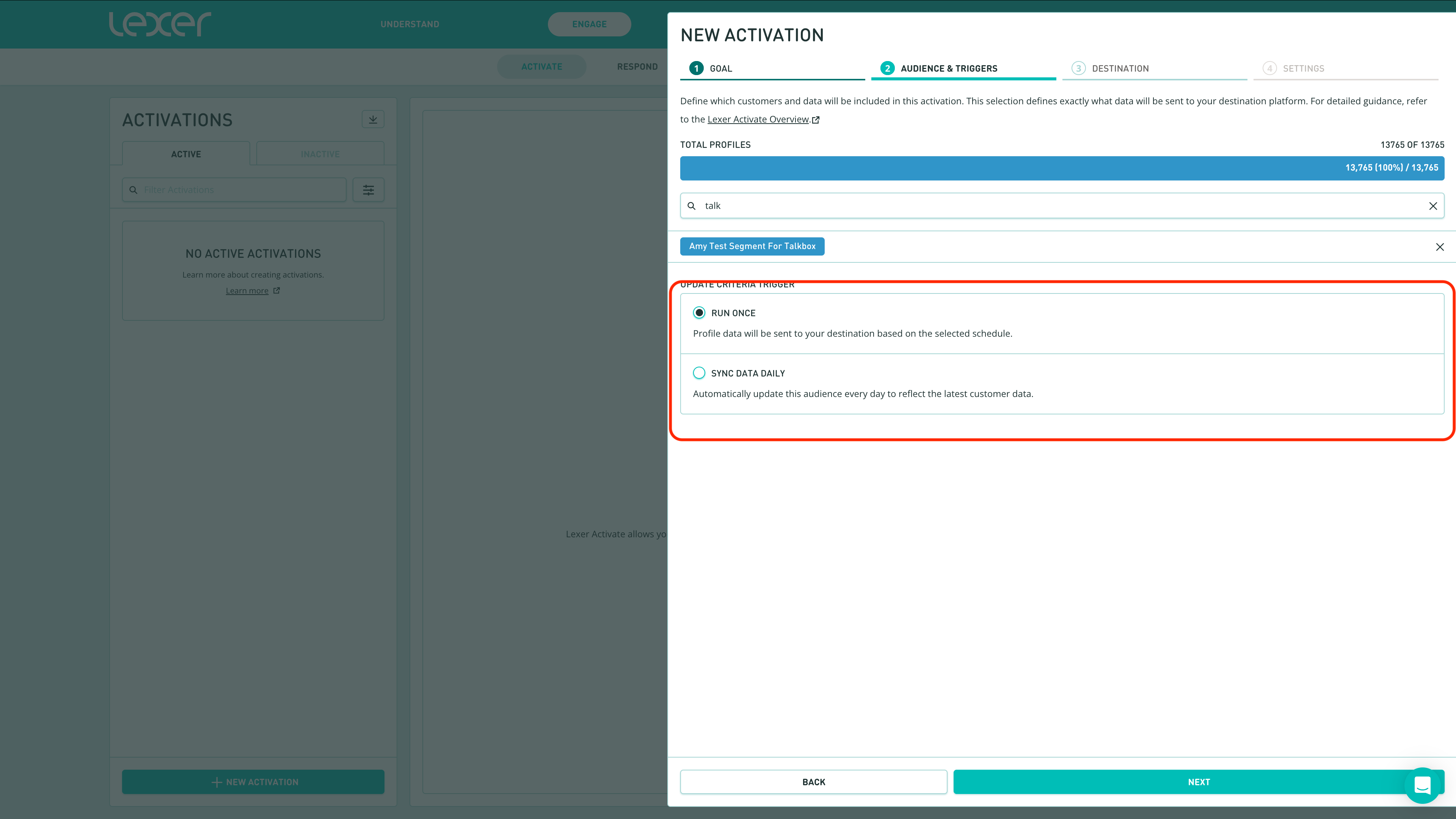
6. Agree to the terms and click Save.
Once complete, the customer list will appear in Talkbox under the tag name you specified above.
You're done!
Congratulations — you're all set to run targeted campaigns in Talkbox using Lexer segments. If you get stuck at any point, don't hesitate to reach out to Lexer Support at support@lexer.io.